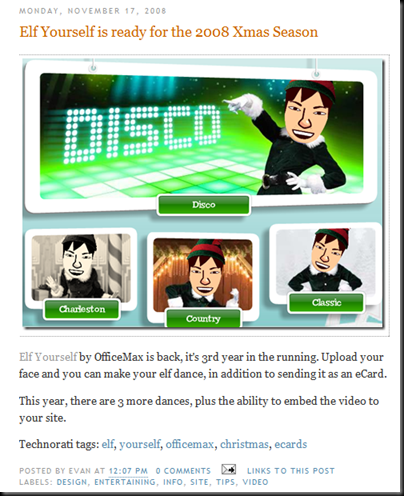
Taken from my other blog, Elf Yourself 2008.

Today is a great day. I get to see Peter here in Singapore, a pilgrim from Germany that I have met during my first Camino back in 2006. He's here in this region visiting his business associates, and of course a fellow pilgrim (me!).
It's a wonderful feeling, the bond that pilgrims share, even between different countries, age group and job industries.
 |
Here a picture taken in Santiago de Compostela almost two and half years ago.
Google's Blogger is probably one of the most used platform for blogging. It's simple, easy to get started and free. Other popular platform for blogging are Wordpress and Typepad. They are mainly for bloggers who wants more control for their blog and do not mind hosting or paying others to have their blog hosted.
Assuming you have a Google blogger's account, blogging with images is dead simple. With the USB reader for your phone's memory card, you just upload the image, add the title, the text and just press the 'Publish Post' button.
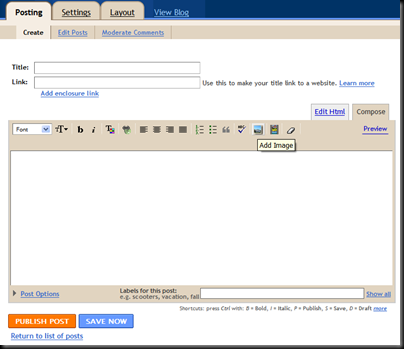
A more efficient way is to use Google's Mail-to-Blogger feature. This way you can check your emails and blog at the same time.
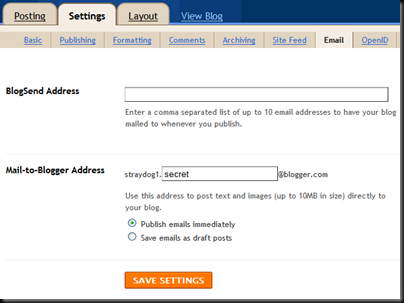
Setup an unique email address to post your blog under Settings -> Email. Any mail sent to this address will be posted immediately to your blog. So an mail with an photo attachment like below:
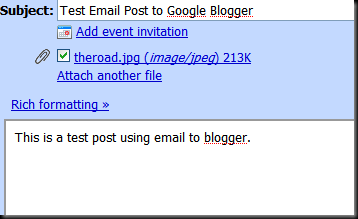
Will end up in your blog like this with the subject of the mail becomes the title in the blog.
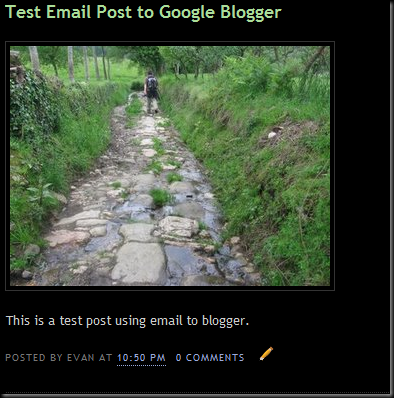
Similarly on a mobile device with email capability, the screen might look something like this:
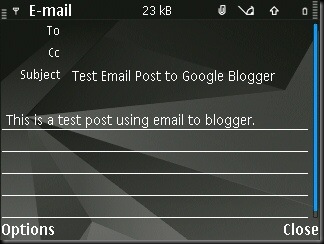
With a mobile device, I have the advantage of writing the posts as draft emails in advance and dispatch them out the moment I am connected to a free wlan at the library or cybercafe. In other words, if I have 2 days without internet connection, I don't have to spend extra time filling in the back logs. In addition, the photo(s) are attached directly from the phone's memory card so there's no fumbling with USB card readers.
This is what they called moblog (mobile blogging).
If you have email application on your phone but no wlan, don't use this as the cost is exorbitant for accessing the internet via the cellular network.
On the Camino Frances, a few albergues have coin operated internet terminals. They are usually expensive (one Euro for only 15 minutes) and a closed system (no USB port to plug in any device).

A better way is to head for the local library (Bibloteca). They are free and most cities and town with a decent population in Spain will have one. They are usually closed after 2 pm and open again after 5 pm so you can take your siesta first and come in later in the evening.
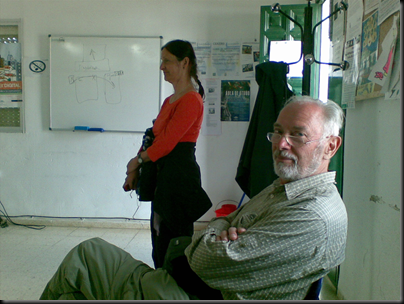
You might have to wait your turn. Pilgrims are a patient bunch, no?
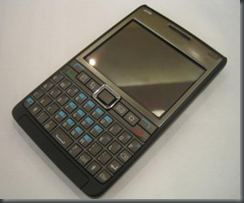
Alternatively, the majority of the libraries in Spain has unsecured free wlan (wireless lan) access. If you have a phone with wlan you don't have to wait. That way, you also allow the local kids to have more time on the computer. However, phone with wlan are not cheap.
The picture above is my Nokia E61i. All Nokia E-Series phones comes with wlan. Here is a partial list of all the phones with wlan support. The screen are small and they do require some technical know how to set up and operate. This may not be for everyone. Hopefully technology will make it easier in the future for just about anyone to use it. But for those who can hack this, here's what you can do right now with just 1 device (the really cool stuff are from point 5 onwards):
Next - Blogging On The Camino - With Google's Blogger (Part 3)
Times has changed. No longer are blogs restricted to just text. Photos have become ubiquitous in all blogs.
Should you bring along a digital camera? Or camera phone? Unless you are photography buff, a 2-3 megapixel camera phone will do just fine for prints and also for blogging. That way you only need to carry 1 charger on the camino. The only requirement is that your phone must have support for external memory card for storage.
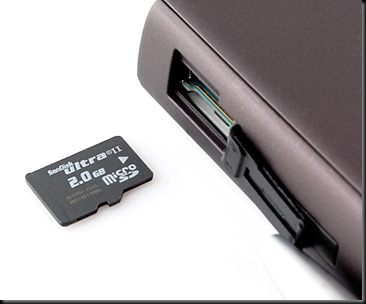
The external memory card that is bundled with the phone are usually small (around 256-512 Meg). Quadruple the capacity by investing around 30 USD for a 2 Gigabyte card. On my 2 megapixel camera phone, the estimate is around 4800 photos! That's more than enough for a few caminos without having to remove any photos from the card.
There are different types of memory cards for the camera phone. The newer the phone, the smaller the card tends to be. They are basically SD (small), MINI-SD (smaller) or MICRO-SD like in the photo above (tiny). Make sure you have a USB reader for the card. If you buy an additional MICRO-SD card, they usually throw in the reader for free. If not, a USB reader usually cost only a couple of dollars.
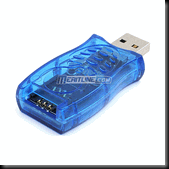
With the USB reader, you can plug it into any computer during your camino and have access to the photos stored in the card. This is also necessary if you want to post images to your blog. And at the end of your camino, you can use the reader to move your photos from your camera phone to your computer.
Next - Blogging On The Camino - Internet Access (Part 2)
From Burgos to Santiago. From my Via de la Plata, a reunion with her together with Rosalinda and Mike in Santiago. We then continued to Finisterre and Muxia.
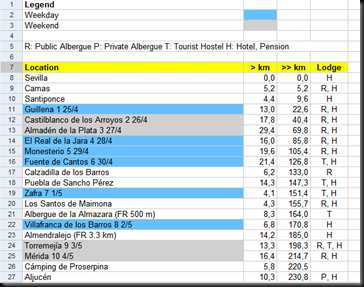
Now that my Camino Via de la Plata is over, I had just archived to Google Docs my journey's spreadsheet with an overlay of my stops. I got the original from Godesalco.
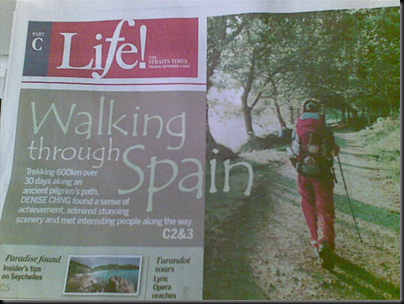
Denise Chng wrote a nice piece on the camino for the local papers here. She's now staying in Quebec, Canada.
No soft copy of the article is available online, but I did manage to locate her blog.

I was notified today that my picture of Itálica (Seville) at the start of my Camino via de la Plata was short listed by Schmap. What it means is that it might be used on their site with my name credited for the photo. The photo was originally posted to Flickr.
Wonder if they know it's taken from a 2 megapixels fixed lens mobile camera?
The problem with home hosting your server is when it's dead, that's it. Unless I intend to replace the machine, which I do not. Instead, I'll stick to Google's Blogger from now on.
Now the challenge is to see if I can find some way to move my old posts over here.


